Conduct on-site testing or get remote access to Mcity’s test track—a full-scale outdoor laboratory with connected infrastructure and operating system.
Designed for Early-Stage Research and Development
Testing new innovations in a safe, controlled environment is essential before deploying mobility solutions on public streets, roads, highways, and skyways.
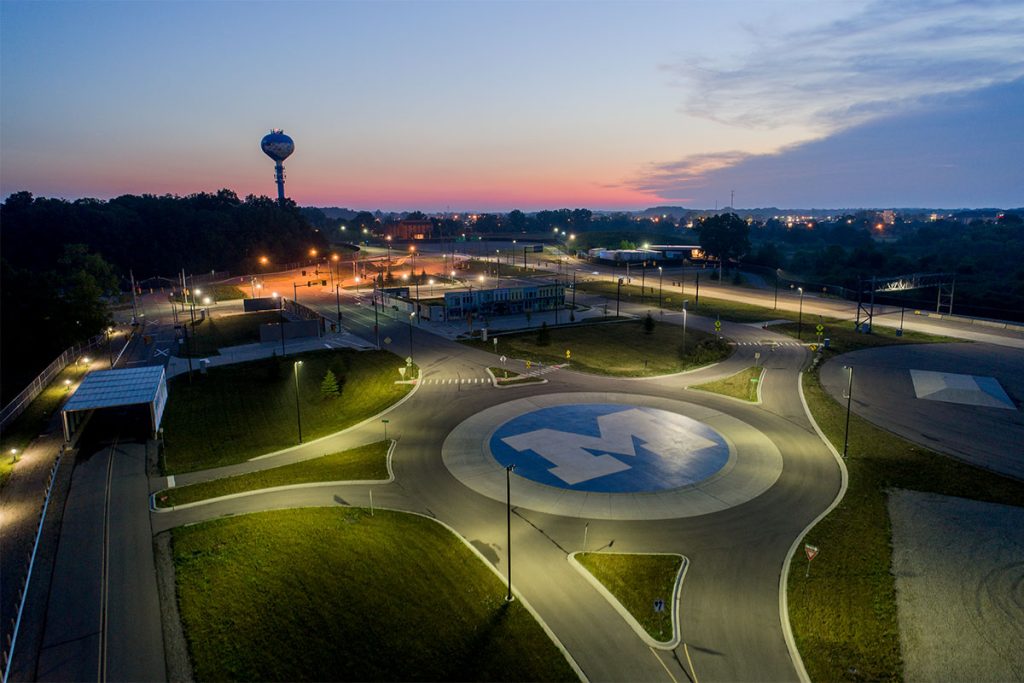
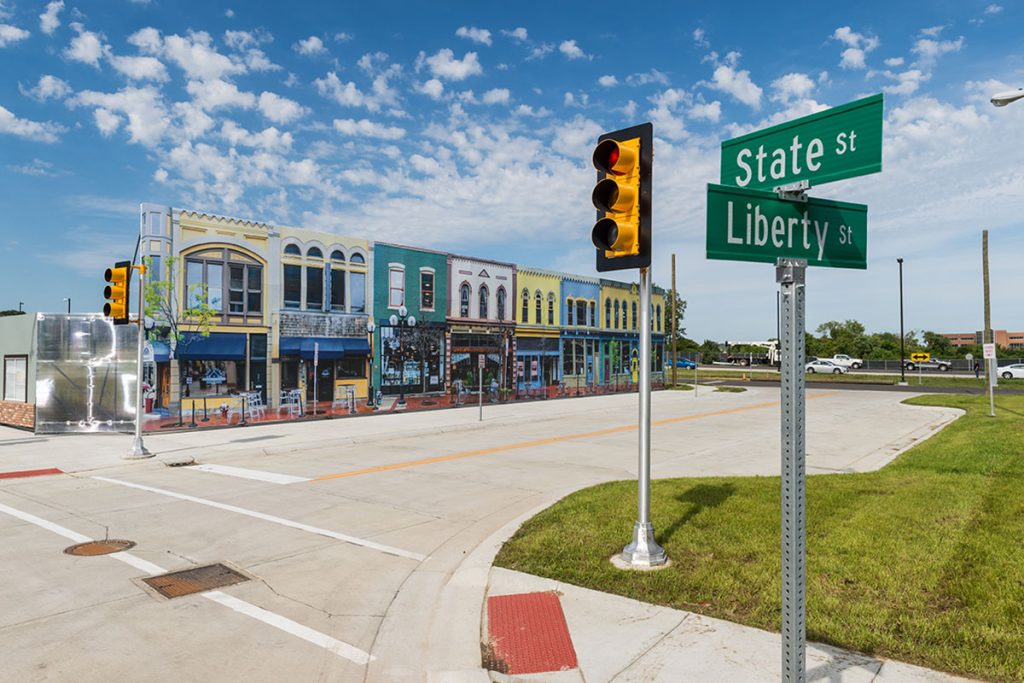
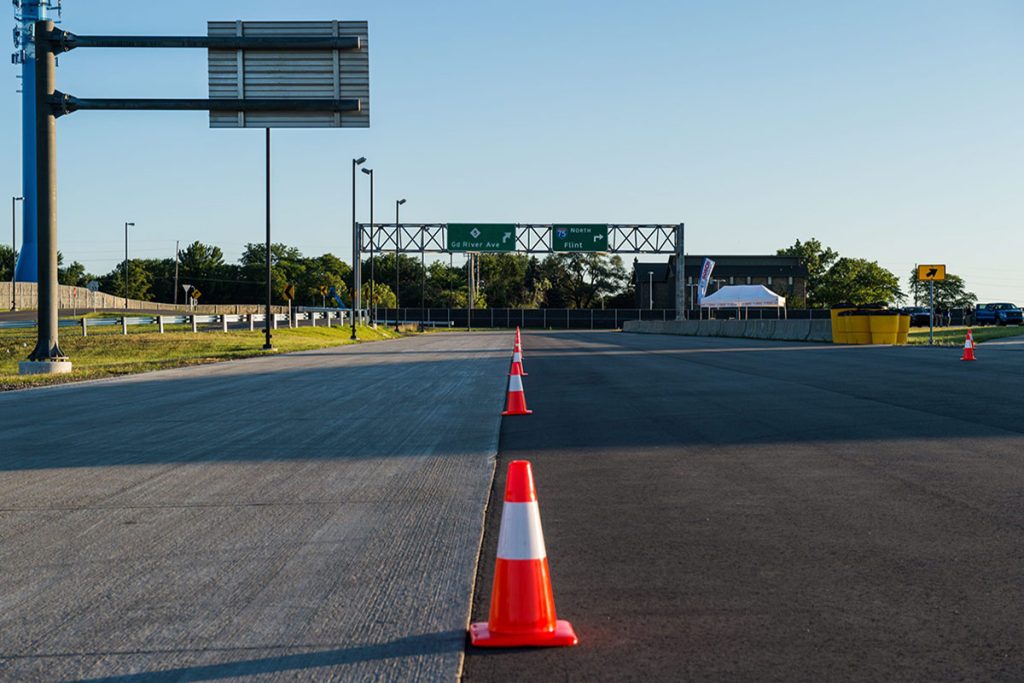
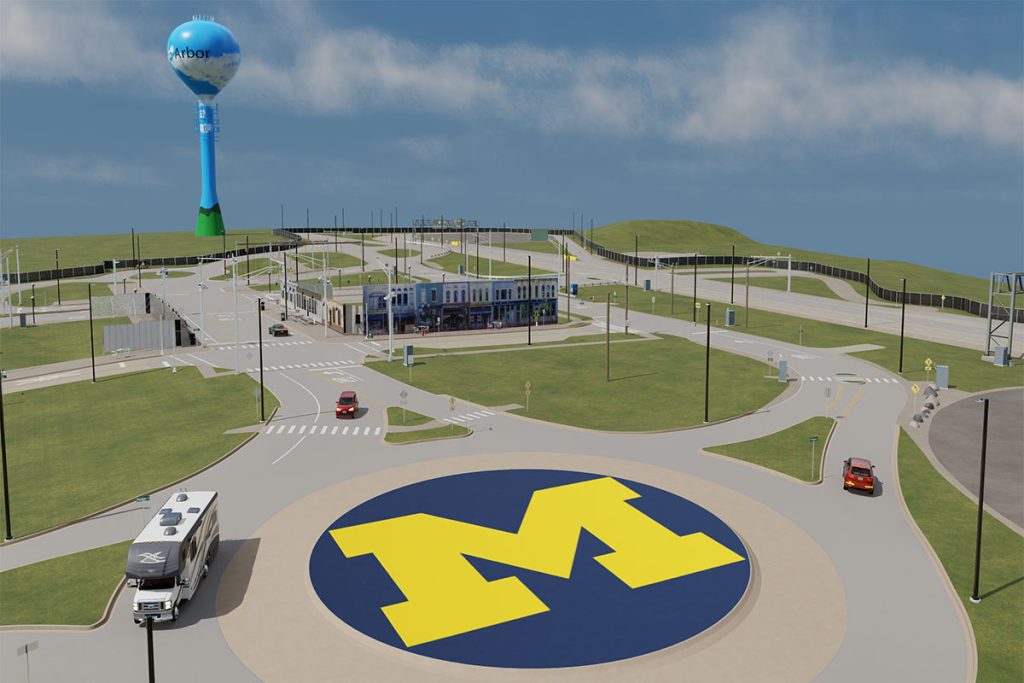
The Mcity Test Facility sits on a 32-acre site on U-M’s North Campus, with more than 16 acres of roads and traffic infrastructure. This “mini-city” simulates the broad range of complexities vehicles encounter in urban and suburban environments, and provides the connected infrastructure and operating system to serve as a smart city test bed.
Features
Explore map
Before arrival
Upon arrival
Emergencies
Policies & procedures
Engineering documentation [https://members.um.city/wiki/engineering]
GitHub repository
For additional information, please contact:
Jim Lollar
Mcity Test Facilities Manager
Please note: Mcity is a closed facility. Due to safety and confidentiality concerns, access is limited to those involved in testing and research. To book a tour use this form.


Remote Access Funded by NSF
With a $5.1 million Mcity 2.0 grant from the U.S. National Science Foundation, Mcity has enhanced the Test Facility by developing digital infrastructure to overlay the physical test facility and create a cloud-based, augmented-reality CAV testbed available to academic and industry researchers nationwide.
Mcity Open-Source Tools
Anyone can experiment with Mcity’s open-source tools before starting a research project.
Data for AI
Data is the lifeblood of mobility innovation. Mcity data resources are available to Mcity members, academic researchers and students including the Mcity Data Engine.
Features
Overview
- State-of-the-art instrumentation and sensors throughout the facility include a control network to collect data about traffic activity using wireless, fiber optics, Ethernet, and a highly accurate real-time kinematic positioning system
- Patent-pending augmented reality testing technology allows physical test vehicles to interact with virtually connected vehicles in real time inside the facility. UAS coming soon!
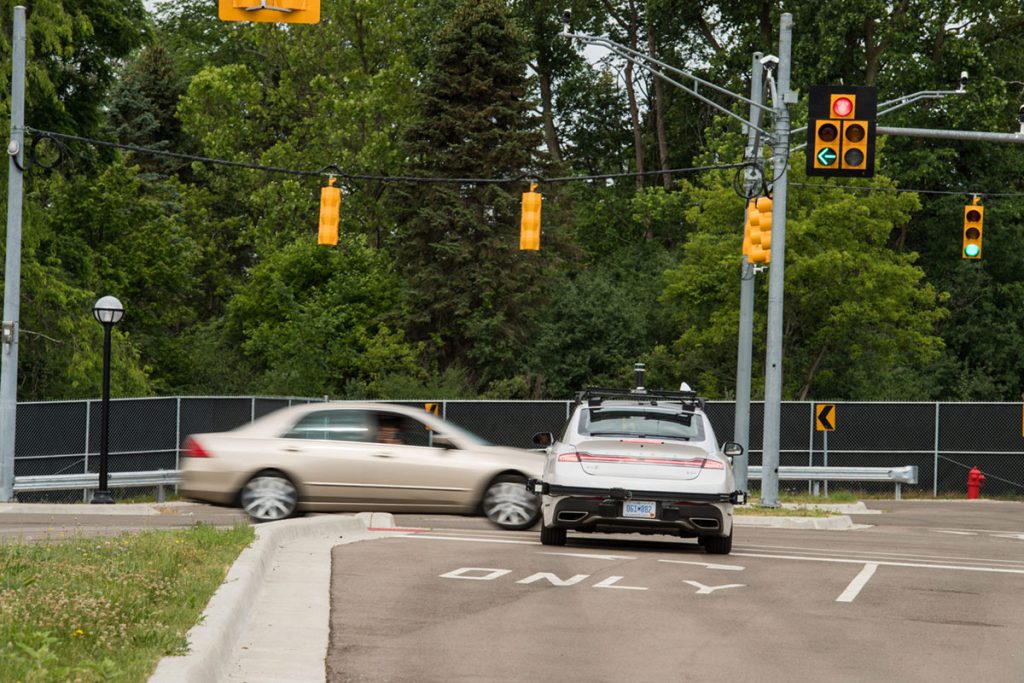
- Fully connected 5G network and vehicle-to-everything (V2X) communication throughout the facility
- Mcity OS cloud-based software controls testing conditions and infrastructure
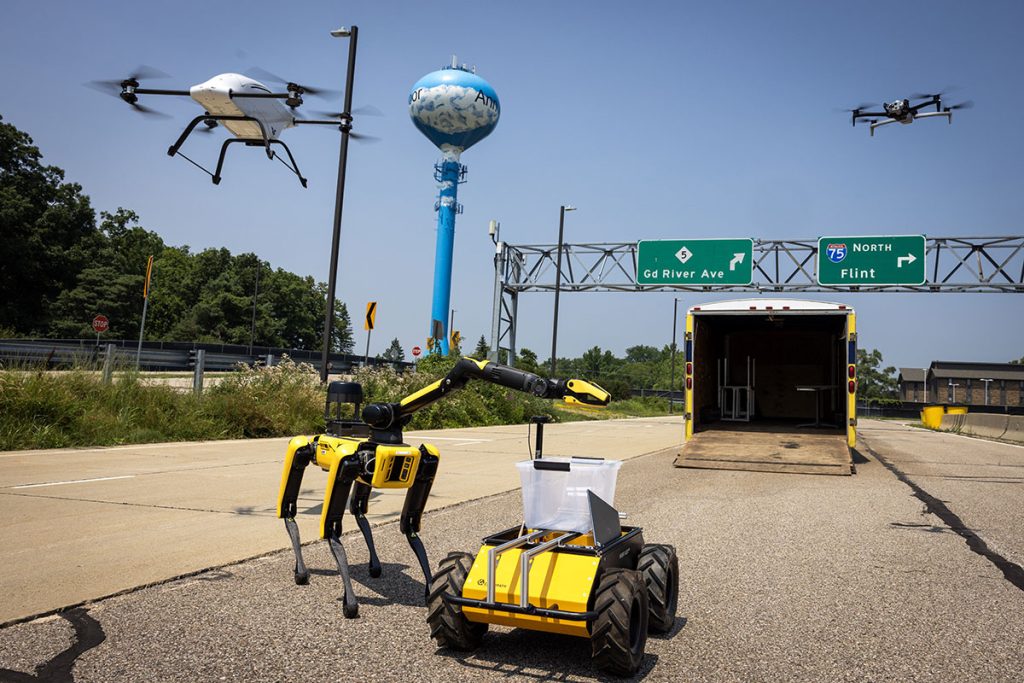
- Low-altitude airspace use including ground-based ADS-B, Remote ID, radar systems, and Flight Ops Center for UAS
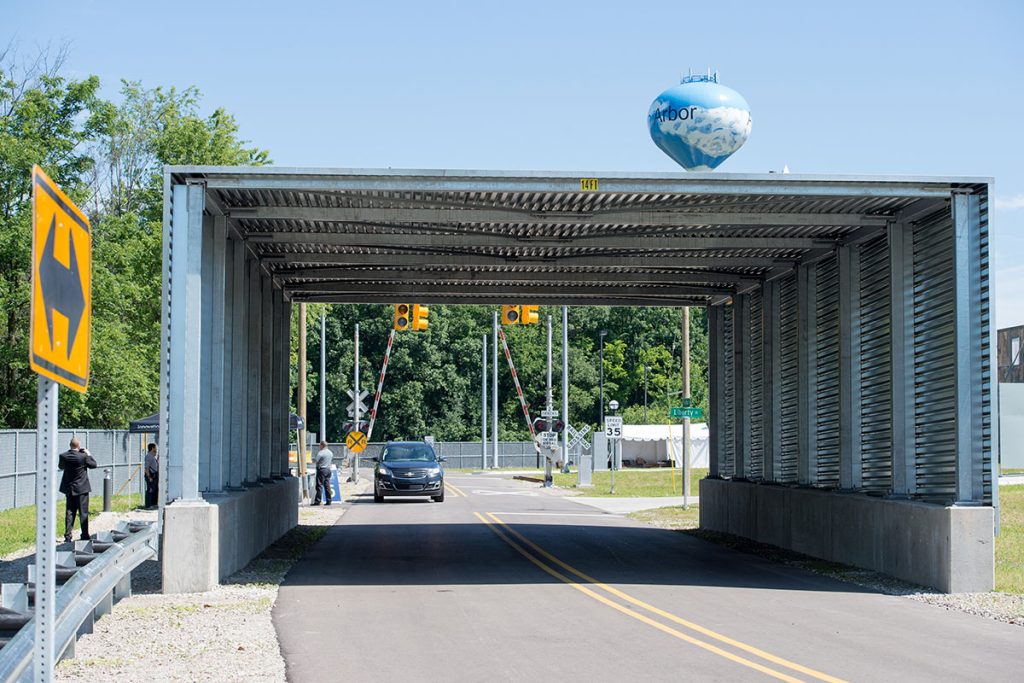
- Multiple road surfaces, variety of road markings and crossing types (e.g. pedestrian, railroad)
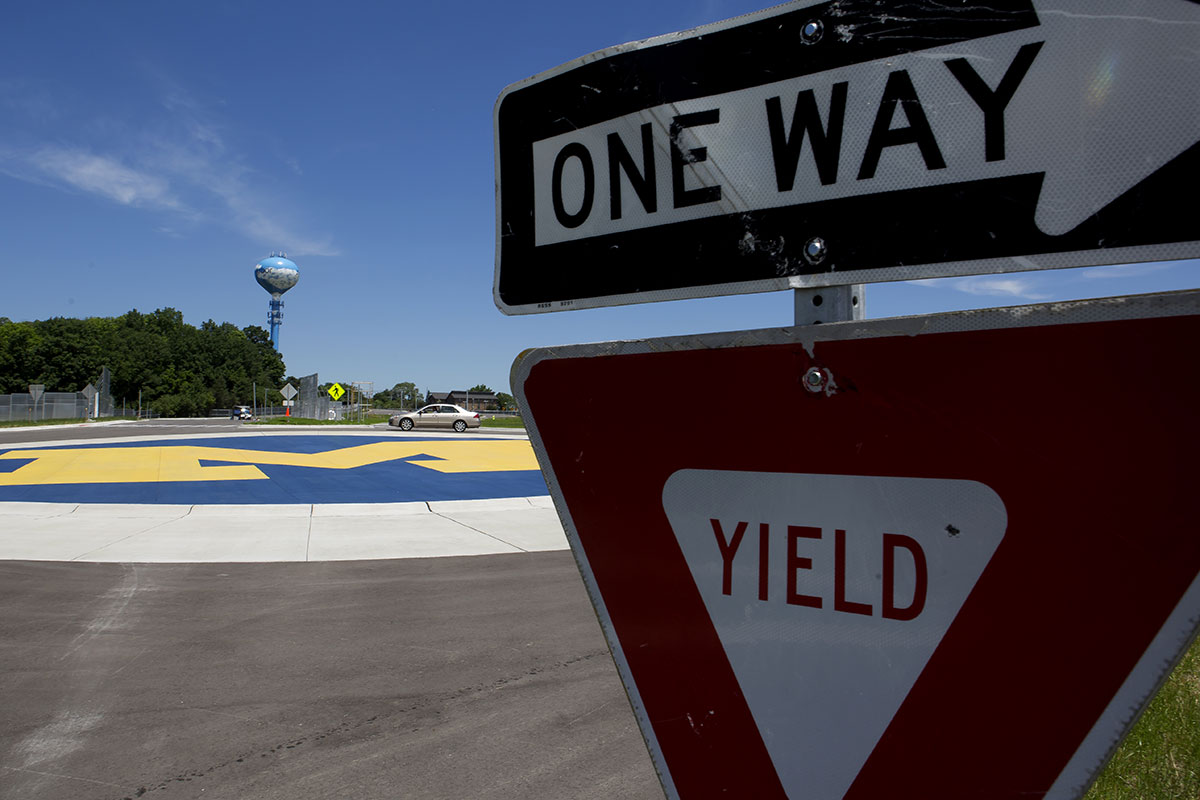
- 1,000-foot straightaway, plus access ramps, curves, roundabout, traffic circle, and urban streets
- Traffic signals and traffic signs, plus building facades and simulated tree cover
- House and garage exterior with accessibility ramp for first-mile/last-mile testing, deliveries, and ride hailing
- Infrastructure including bridge deck, underpass, guardrails, barriers, and crash attenuators
- On-site workstation and configurable open test areas
- Test passenger vehicles, UAS, and support available (including certified safety drivers and pilots)
Mcity OS

Track Control Software
Track Control Software
Mcity OS makes it possible for researchers to create and execute complex, sophisticated, and easily repeatable test scenarios for connected vehicles, automated vehicles, and connected and automated vehicles—potentially saving testing time and costs, and accelerating product development.
Mcity OS runs on any internet-enabled device to control all the features of the Mcity Test Facility. This cloud-based open-source operating system gives users point-and-click control over interactions between vehicles and facility features and infrastructure. Testing groups can remotely control traffic lights, rail crossings, lighting patterns, pedestrian crossing signals, and more. Elements may be controlled in real-time, or through saved patterns and set-ups. Multiple methods of use are available, including a graphic user interface, direct code input, and an interactive map.
Mcity OS tools can be integrated at other test facilities and in real-world environments as we lead the transformation to CAVs, CV2X, and smart cities. Mcity OS is also available for use at other test facilities. The American Center for Mobility is the first facility to license Mcity OS.
To inquire about licensing, contact the University of Michigan’s Office of Technology Transfer.
Sandbox
Mcity OS has a sandbox environment, Mvillage, which runs Mcity OS and mimics much of the functionality and features of the Mcity Test Facility. It consists of a single traffic controller and traffic light, a single DSRC-16 RSU, and some other basic items.
Equipment
Robotic Proxies
The autonomous test platform, also known as the MLPRV (Micro Low Profile Robotic Vehicle) or GST (Guided Soft Target) is capable of acting in the role of a vulnerable road user to ensure precise, accurate and repeatable tests. Mcity can help create a “scenario” for the platform in which the platform, hosting a small human or other figure, will execute the following of a path based on a trigger that you define. One example scenario might be a test vehicle approaching an intersection, triggering the small human to cross the intersection at a pre-defined velocity.
The platform is a (potentially very fast 50mph) moving (and fast stopping!) platform which provides the capability to test an infinite number of scenarios.
Requesting the Hardware
If you are interested in using the platform for your testing, please send an email to: mcity-engineering@umich.edu
Road Equipment
A variety of Mcity road and safety equipment is available for use, including:
- Arrow Board
- Concrete Barriers
- Crash Barrels
- Detour Traffic Signal
- Flood Stop
- Message Board
- Reflectors
- Sandbags
- Sign Posts
- Traffic Barrels
- Traffic Cones
- Yellow Plastic Fencing
…and more.
Contact mcity-engineering@umich.edu to use these items during testing.
Research Vehicles
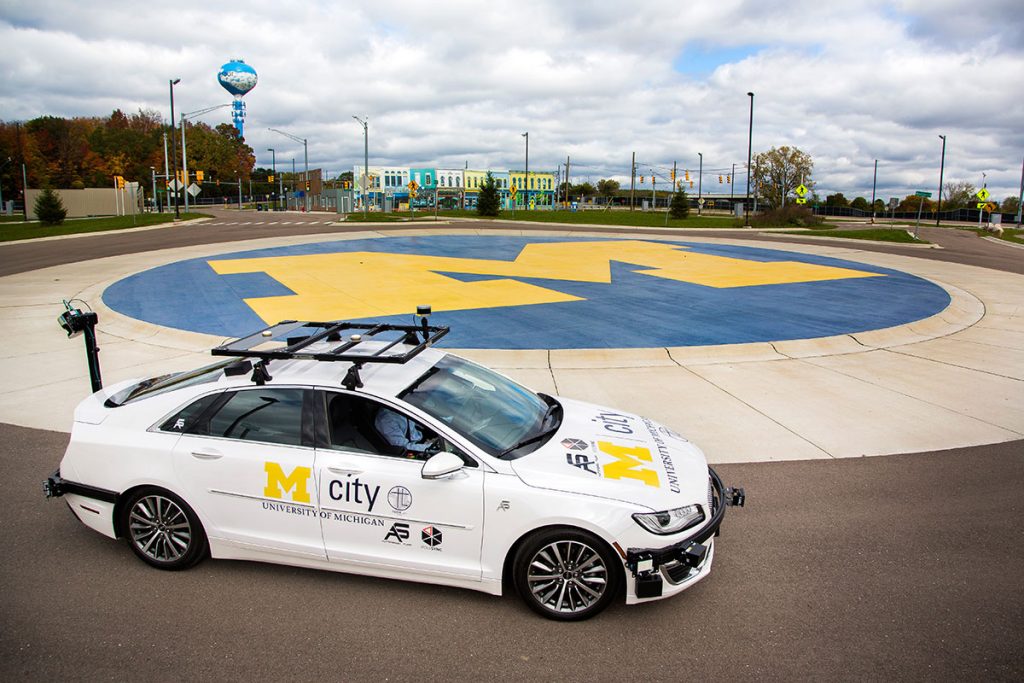
Mcity has a small fleet of vehicles available to support your research. Three Lincoln MKZ‘s and one Kia Soul are equipped with a variety of automated and connected technologies.
Contact the mcity-engineering@umich.edu to reserve these vehicles.
Communications
V2X
| Type | Vendor | Model | Location | Status |
|---|---|---|---|---|
| CV2X | Cohda | MK6C | Main/State | Development/customer use |
| CV2X | Danlaw | RouteLink | Main/Pontiac Tr. | Development/customer use |
| CV2X | Danlaw | RouteLink | Main/State | Broadcasting SPaT+MAP, forwarding BSMs |
| 2016 DSRC (ch.180) | Cohda | MK5 | Liberty/State | Broadcasting SPaT+MAP, forwarding BSMs |
Wi-Fi
Mcity has Wi-Fi coverage throughout most of the test facility, garage, office, and Auxiliary building. There are three networks available:
Mcity
- 5GHz Wi-Fi, authenticated via Octane token.
- To connect to the Mcity network, you can use the email address of the person who made the track reservation, and your active Octane token as the password.
Mcity 5 / Mcity-2.4
- 2.4GHz Wi-Fi or 5GHz Wi-Fi (depending on which network you select), authenticated with a password.
- Please contact the Facilities Manager or mcity-engineering@umich.edu for this password.
You may get a security warning due to the certificate not being signed by a CA. This is something we are working on. To bypass, select the option for no CA certificate. Instructions per-operating system can be found below:
- Windows
- Select the Mcity network and authenticate.
- If asked to continue connecting, click Connect.
- Linux
- Select the Mcity network.
- Enter your username and password
- Check “No CA certificate is required”
If you experience any other messages or errors not mentioned here, please reach out to mcity-engineering@umich.edu with a screenshot so we can provide instructions and update this guide.
GPS
GPS Base Station (CORS)
CORS (Continuously Operating Reference Stations) base stations provide GPS correction information that allow for precise GPS locations down to the centimeter level rather than meters. For more information see – http://www.ngs.noaa.gov/CORS/
There are two different GPS Base Stations near Mcity, one operated by MDOT and another operated by the university.
- Introduction to Continuously Operating Reference Stations & Datums
- WGS84 vs. NAD 83
- Base Station access options
GPS/GNSS
Coordinate tracking and verification may serve a significant role in testing procedures carried out by Mcity guests, and so information on standards used in Michigan and resources available nearby may prove beneficial. The pages linked below provide information on surveying devices used by Mcity, available stations for testing the accuracy of GNSS logging systems, and information on local measuring standards, among other things.
Satellite-based Positioning
- Information on GNSS tracking methods/technology
- Local survey point location
- How to connect to UMTRI Ntrip client
Commonly Used Acronyms
| Abbreviation | Description |
|---|---|
| CORS | Continuously Operating Reference Stations |
| CV2X | Cellular Vehicle-to-Everything |
| DPSS | Division of Public Safety & Security (University of Michigan) |
| DSRC | Dedicated Short Range Communication |
| EHS | Environment, Health & Safety (University of Michigan) |
| RSU | Road Side Unit (for V2I) |
| RTK | Real Time Kinematic |
| MDOT | Michigan Department of Transportation |
| NCRC | North Campus Research Complex (University of Michigan) |
| UMTRI | University of Michigan Transportation Research Institute |
| U-M | University of Michigan |
| V2I | Vehicle to Infrastructure communication |
| V2P | Vehicle to Pedestrian communication |
| V2V | Vehicle to Vehicle communication |
| V2X | Vehicle to “something” communication (generic term) |
Before Arrival
Track Agreement / Proof of Insurance
Before scheduling time on the test track, you or your company/institution will first need to download and execute the standard Mcity Track Agreement and submit a certificate of liability insurance, as outlined in the agreement Attachment B on page 15. After your documents have been submitted and approved you may reserve time on the test track using the Mcity online scheduler.
University of Michigan users are not required to complete a track agreement.
Submit your completed document to: mcity@umich.edu
Safety Orientation
Before arriving at the Mcity Test Facility, you must complete Mcity Safety Orientation training, which has three components:
- Review the Safety Orientation Checklist
- Watch the Safety Orientation Video
- Submit the Safety Agreement Form (to whom?)
Please Note: Each member of your team who will be at the test track must review the safety checklist and watch the video; the team lead should submit the form. You’ll find all Safety Orientation materials on the Mcity Scheduling page.
Upon Arrival
Parking
Test group users are encouraged to park vehicles on the grounds of the Mcity Test Facility (inside the Main Gate). U-M parking permits are not required on the test track. Suggested locations include:
- The parking lot behind the pavilion is a wide, open space. There are no road markings for parking spaces, but there is plenty of space that is free to use.
- Marked street parking is also available on Main Street in the downtown area of the track.
- Eastbound traffic has access to diagonal parking spaces.
- Westbound traffic has access to parallel parking spaces.
- Mcity Test Facility users are also welcome to park at their own risk on defined/paved roads anywhere inside the facility that does not interfere with active testing.
- Please refrain from parking on sidewalks, grass and other off-road areas (including the Block M at the center of the large roundabout at the south end of the track).
- Metered parking available in the parking lots outside the main Mcity and UMTRI offices.
Entrances
Mcity has three gates to accommodate vehicle traffic:
Main Gate
- Main access location for vehicle and pedestrian traffic
- Accessed using the Mcity OS app
- Nearest gate to UMTRI and Mcity offices
North Gate
- Emergency access & special exceptions only; contact the track manager for details
- Secured with padlock/lock box; arrange access with track manager
- Just off North Mobility Circle, direct access to Plymouth Road
- Not accessible via Mcity OS app
East Gate
- Emergency access and special exceptions only, contact the track manager for details
- Secured with padlock
- Access via Green Road south of Plymouth Road at the Mcity Auxiliary Building: 1929 Green Road, Ann Arbor, MI 48109
- Not accessible via Mcity OS app
For pedestrian traffic:
Main Gate Pedestrian Door
- Main access location for foot traffic. Use Mcity OS app
- Secondary access using Mcard system for U-M employees only
- Located immediately west of main gate
- Push bar for exit only
Emergency Exits
- Egress via crash bar at all gates
- No means to re-enter facility
- Located next to Main, North and East vehicle gates
Workspaces & Amenities
While working in the Mcity Test Facility, you’re welcome to access on-site amenities like prep garages, mobile offices and meeting areas to ensure your experience is comfortable and productive.
Mcity Auxiliary Building
- The Mcity Auxiliary Building is located adjacent to the Mcity Test Facility. Entry is accessible through the test facility, or from Green Road. The address is 1929 Green Road, Ann Arbor, MI 48109
- 3,000 square-foot, multi-use space suitable for workspaces while using the test facility, and events
Mcity Offices
- It is also possible to arrange for use of a conference room. Please check in advance with the Mcity office manager at mcity@umich.edu
- Office also has a small lunch room/kitchenette with coffee, tea, and the usual amenities.
UMTRI Offices
- Vending machines are available in the first-floor lounge, next to the garage area in the UMTRI building, which is located across the parking lot west of the Mcity Office.
School Bus
- Parked in the pavilion area of the test track, but can be moved anywhere in the test facility.
- Equipped for use as a mobile work station, with Wi-Fi, plug-in network and power source.
Onsite Restrooms
- Located inside the Mcity Auxiliary Building
- Portable bathroom available outside Main Gate of the test facility
Emergencies
Emergency Situations
An emergency situation may entail any of the following:
- Injury requiring medical attention
- Fatality
- Environmental release
- Fire
What to Do
- Call 911 and specify the call is from a University of Michigan facility. Test facility users are expected to have a cell phone available.
What Happens Next
- Emergency responders will contain and control the immediate situation and make the area safe for re-occupancy or make recommendations for any long term follow up that may be necessary.
- Emergency responders enter Mcity through the North Gate; they have access to the padlock/lockbox.
- U-M’s Division of Public Safety and Security (DPSS) and/or U-M Environmental Health and Safety (EHS) will determine if there are immediate reporting requirements to federal or state agencies, and will notify the appropriate U-M executive officers of the incident. The track manager will follow established reporting requirements.
Environmental Concerns
- The discharge or spilling of any liquids or solids on U-M property must be reported immediately to the track manager by call or text to (734) 548-9293, or email mcity@umich.edu
- A spill kit is located by the pavilion in a large yellow container
- Users are expected to pick up any waste or litter created and dispose of it in the garbage receptacles, or take it with them when they leave
Any serious situation other than a 911 emergency should be reported to the track manager via call or text at (734) 548-9293, or email mcity@umich.edu
Severe Weather
In the event of severe weather, visitors to the Mcity Test Facility should evacuate the track and take shelter in the main UMTRI building. The Mcity Office and the Mcity Auxiliary Building are not storm shelters.
Blue Light Emergency Phones
As part of the U-M campus, the Mcity Test Facility is equipped with blue light emergency phones.
Pressing the button on the call box connects a caller directly to the U-M Division of Public Safety & Security. DPSS will log the time and location of contact and dispatch a security agent. It is not necessary to speak over the phone in the event of an emergency, although operators will benefit from additional details if it is possible to provide them.
Mcity has four blue light emergency phones:
- By the North Gate (outside the fence)
- By the East Gate, outside the test facility but inside the parking lot of the Mcity Auxiliary Building
- By the Main Gate (outside the fence)
- By the Pavilion inside the test facility
Policies
University of Michigan Drone Policy
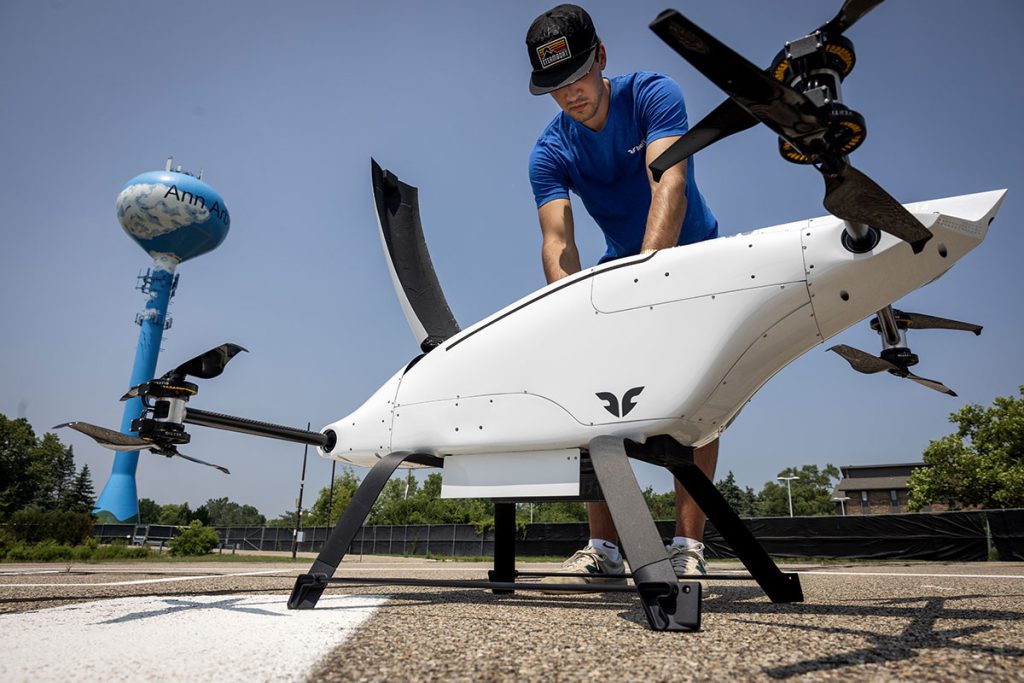
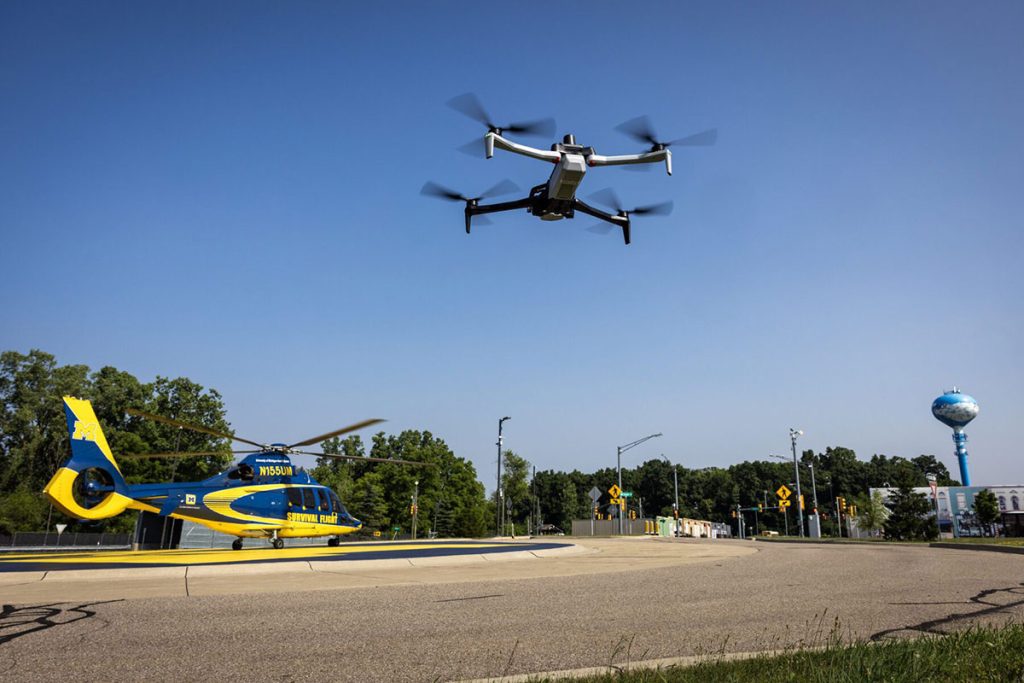
Usage of unmanned aircraft systems, or drones, is permitted inside the Mcity Test Facility, subject to approval by the university. More information about U-M’s drone policy and obtaining permission to fly drones on campus is available on the U-M Risk Management website.
U-M supports the safe and responsible use of unmanned aircraft systems (“UAS,” also known as unmanned aerial vehicles or drones) in the course of research and educational activities and other endeavors in the pursuit of the U-M mission.
Mcity Test Facility Policy
The Mcity Test Facility is designed to simulate a real world environment, so it replicates driving on public roads. Mcity is unique in that it is a closed facility, where adaptations are possible in order to conduct testing, but there are procedures that need to be followed to ensure smooth and safe operation.
It is the responsibility of all those involved to ensure testing is conducted safely. Anyone onsite at the track is expected to follow Mcity policies.
General Safety Guidelines
- All Mcity Test Facility gates and doors must be closed when vehicles are in motion.
- The track manager or other designated Mcity support staff must be notified by call or text to (734) 548-9293 when testing is finished for the day.
- Vehicle dynamics limits testing and emergency handling tests are not permitted (vehicle tires may not intentionally break traction).
- Minors under the age of 18 are not allowed on Mcity Test Facility grounds without prior approval from the track manager.
- Users must obey all Michigan traffic laws – including the use of seatbelts and turn signals.
- The MAX SPEED on the simulated highway is 45 mph.
- The MAX SPEED in the urban area is 25 mph or as posted.
- Please watch vehicle speeds in the main Mcity parking lot and the adjacent U-M Transportation Research Institute (UMTRI) parking lot on your way in and out of the test facility; there is a lot of foot traffic.
Mcity Safety Expectations
It takes everyone involved in testing to ensure a safe environment but vehicle drivers are critical to any testing. All drivers are responsible for their actions and are expected to follow the regulations listed below. Please note that because the Mcity Test Facility is designed to represent a real world environment as closely as possible, driver requirements are basic. Advanced driver training may be required by your employer.
Training Requirements
- Driving in Mcity requires a valid Michigan Driver’s License or Reciprocal License (see list on the Michigan.gov website).
- Mcity Safety Orientation Training is also required for anyone — driver and passengers — using the Mcity Test Facility. This short training session is designed to provide an orientation for new facility users. The objective is to educate everyone on the rules & regulations of the facility.
Safety Requirements
- Safety First! Safety takes priority over testing 100% of the time.
- Drivers must maintain complete control of their vehicle at all times. Govern your speed with safety first. Drive according to road, weather, and traffic conditions.
- Anyone riding in a vehicle must be in an official designated vehicle seat; riding in the back of pickups, trunks of cars, etc. is prohibited.
- Headlights or parking lights must be on when vehicles are stopped during hours of darkness or low visibility.
- If you experience a breakdown or an emergency, pull off of the road to the best of your ability as safely as you can; use common sense and good judgment.
- All vehicles making emergency or unscheduled stops on or beside the roadway must use four-way flashers regardless of the time of day.
- Keep the vehicle glass, mirrors, exterior vehicle lighting and license plates clean, snow and ice must be removed to ensure clear visibility in all directions before operating the vehicle.
- Do not drive in banks of snow.
- Reckless operation of vehicles or horseplay is not permitted.
Etiquette
- When entering a building with a vehicle, the driver window should be open and radio turned off, do not remove ignition keys from vehicles parked inside a building, do not park in front of overhead garage, or pedestrian doors.
- Use turn signals when indicating a turn, changing lanes, decelerating or stopping while testing.
- The use of headsets and/or audio earplugs for entertainment purposes is prohibited during vehicle operation.
- Do not read, eat, drink, or operate a laptop/cell phone while driving.
- Do not throw any form of litter from vehicles.
Legal Compliance
- Any individual operating a vehicle on Mcity must comply with all Mcity Driving Regulations.
- Any person operating a vehicle on Mcity is required to have a valid state or reciprocal driver’s license. If the vehicle falls into the Commercial Vehicle Class, then a Commercial Driver License is required.
- It is not permissible to operate a vehicle while under the influence of any intoxicating substance or behavior impairing drugs.
- Do not park within 100 feet of any fire apparatus. Simulated fire hydrants are excluded from this.
- Any fire extinguishers, ballast and/or instrumentation in the vehicle must be sufficiently secured.
Equipment
- Anyone driving or riding in a vehicle on Mcity must use the total restraint system that is installed in the vehicle. Requests for deviation to this requirement must be submitted the track manager in advance.
- Non-production vehicles or vehicles with any modifications to vehicle/safety critical systems (brakes, steering, traction control, etc.) must be equipped with an Emergency-Stop button or “kill switch” that is easily accessible to the driver at all times.
- All vehicles operating on Mcity are required to operate with the following: headlights, fog lamps, or daytime running lights; contact the track manager in advance to request any exceptions.
- Check vehicles for defects before driving (lights, horn, brakes, tires, etc.). If so equipped, inspect camouflage for visibility issues and secure to the vehicle if loose.
- Vehicles may not be left unattended with the engine running except under the following conditions:
- Use of remote start devices
- Engines idling to avoid test disruption
- Diesel engines and heavy equipment on idle
- All other exceptions must be verified in advance by the track manager. Unattended idling vehicles must have the automatic transmissions in park or the manual transmissions in neutral with the parking brake set.
- Do not push a disabled vehicle with anything but a wrecker or another vehicle equipped for this purpose, if the condition of the brakes or steering is questionable, the vehicle must be towed or loaded onto a flatbed.